Overview
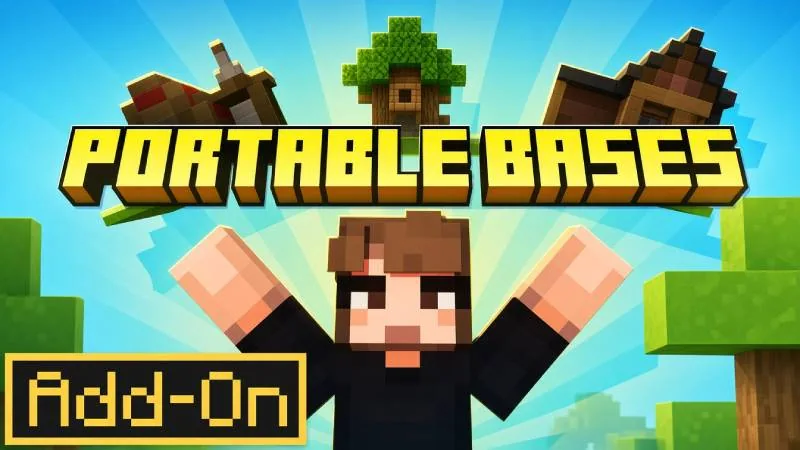
Portable Bases by ManaLabs introduces a practical survival utility to Minecraft Bedrock Edition by condensing full shelters into single craftable blocks. Instead of manually harvesting materials and building a new camp each time you enter an unfamiliar biome, you can drop down a specialized block to watch an entire structure unfold right in front of you.
The system is built specifically for mobility, supporting 15 distinct building designs ranging from simple huts and farms to elevated treehouses and dimension-specific hideouts. Once deployed, you can customize the interior, store supplies in chests, and shelter pets, then fold the entire structure back into your inventory with everything preserved inside.
What you get
- Counted by the store: 1 add-on
- 15 craftable deployable base designs
- Structures including huts, farms, treehouses, towers, and dimension hideouts for the Nether and End
- Packing mechanic that folds active bases back into portable blocks
- Full state retention for placed chests, interior decorations, and pets
Price and rating
Portable Bases is listed at 830 Minecoins on the Minecraft Marketplace as of November 19, 2026. That is roughly $4.87 at the usual US rate for a small Minecoin pack; the real cost depends on which coin pack you buy.
Players rate it 4.6 out of 5 across 20 ratings.
Price history
We started tracking this item on November 19, 2026. No price change has been recorded since then.
Who it is for
This add-on is well suited for nomadic adventurers, resource gatherers, and dimension explorers who dislike stopping to construct manual outposts. Before deploying larger structures like towers or treehouses, keep in mind that you will still need enough open space in your surroundings to fit the unfolded footprint.
Frequently Asked Questions
Do items in chests disappear when you pack up the base?
No, the add-on preserves your placed decorations, stored chest items, and resident pets so everything reappears just as you left it upon unpacking.
What kinds of structures can be crafted?
There are 15 craftable options including standard huts, working farms, tall watchtowers, treehouses, and specialized shelters designed for the Nether and the End.
About add-ons in general
What is a Marketplace Add-On?
An Add-On is a Marketplace item containing a resource pack and/or behavior pack that adds things to the game - custom blocks, items, mobs, recipes and mechanics. The category launched in 2024. Unlike a world template, an Add-On is meant to be switched on in worlds you choose.
Can I add an Add-On to a world I already have?
Yes. Edit the world (pencil icon), open Resource packs and Behavior packs, and activate the Add-On there. It works for new worlds too. Make a copy of an important world first: adding or removing packs changes the world.
Source: Minecraft Help: Activate Add-Ons
Do Add-Ons work in multiplayer and on Realms?
Yes - the help center says Add-Ons work in single-player, multiplayer and Realms worlds, but not on personal servers that are not Realms. On a Realm, anyone who joins automatically downloads and applies the Add-Ons active on it. For ordinary (non-Realm) multiplayer worlds the official help does not state whether joining friends must own the Add-On, so try it with a friend before planning around it.
Source: Minecraft Help: Learn about Add-Ons · Minecraft Help: Activate Add-Ons
How many Add-Ons can I use at once?
You can combine several, but the help center recommends no more than three in one world; more can hurt performance or cause conflicts. When two packs change the same thing, the one higher in the list wins, so reordering can fix clashes.
Source: Minecraft Help: Learn about Add-Ons · Minecraft Help: Reorder Add-Ons
Do Add-Ons disable achievements?
Since July 2025 Minecraft says achievements are enabled for Marketplace add-ons (only add-ons from the Marketplace, and nothing is awarded retroactively). The achievements help article, however, still lists "certain Marketplace add-ons" and world templates among the things that can disable achievements. In practice: most add-ons keep achievements on, but check the listing of the specific add-on if achievements matter to you.
Source: minecraft.net: Achievements now work with add-ons · Minecraft Help: Unlock achievements
Do I need to turn on experimental features for a Marketplace Add-On?
There is no player-facing instruction telling you to. Microsoft's guidelines for creators say Marketplace Add-Ons should not use or rely on experimental features, so a Marketplace Add-On is expected to work without those toggles. If one does not work, follow the add-on troubleshooting steps rather than switching experiments on.
Source: Microsoft Learn: Guidelines for building cooperative Add-Ons · Minecraft Help: Troubleshoot Add-On issues
What happens to my world if I remove an Add-On?
You remove it from the world's Resource packs / Behavior packs screen (on a Realm only the owner can deactivate it). Mobs added by the Add-On are removed from the world, and its custom blocks are replaced with default blocks. Back up the world first if you have built with those blocks.
Source: Minecraft Help: Disable Add-Ons
9Minecraft Marketplace is an unofficial tracker and is not affiliated with Mojang or Microsoft. Prices are in Minecoins as listed for the US store and can change at any time; always check the Marketplace page before you buy.