Overview
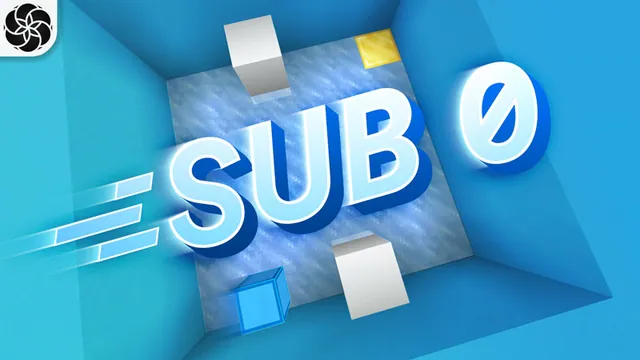
Logic0 is an educational puzzle minigame by Everbloom Games designed to teach problem-solving and programming fundamentals inside Minecraft Bedrock Edition. Players work through spatial challenges by planning ahead and sequencing instructions to guide a small robot toward its target.
Instead of direct manual movement, the gameplay revolves around an interactive Instruction Board. You populate this board with specific command routines that dictate the robot's step-by-step path, solving minimalist logic puzzles across dozens of distinct layouts.
What you get
- Counted by the store: 1 world
- 1 puzzle minigame world
- 50 unique logic puzzle levels
- Robot command mechanics using an in-game Instruction Board
- Coding-oriented problem-solving challenges
Price and rating
Logic0 is free on the Minecraft Marketplace as of November 20, 2026.
Players rate it 4.0 out of 5 across 49,648 ratings.
Price history
We started tracking this item on November 19, 2026. No price change has been recorded since then.
Who it is for
This map suits solo players, students, and puzzle fans who enjoy step-by-step logic exercises and brain-teasers. Because the map ramps up in difficulty and focuses strictly on sequential problem-solving, players looking for action or traditional open-ended survival will not find it here.
Frequently Asked Questions
How many levels are included in Logic0?
The map includes 50 unique puzzle levels designed to test and build programming logic.
How do you control the robot?
You control the robot by setting up sequential commands on an in-game Instruction Board to help it complete each stage.
About minigames in general
How do I start playing a world I got from the Marketplace?
Open it in My Library and choose Create this World, or go to Play, Create New and pick the template.
Can I play a Marketplace world with friends?
Realm owners can put a world on their Realm, including worlds made from packs they own or get through the Marketplace Pass catalog. For ordinary multiplayer sessions the official help does not say whether every player must own the world, so check the listing or try it before organising a session.
Source: Minecraft Help: Upload a world to a Realm · Minecraft Help: Activate Add-Ons
Do Marketplace worlds disable achievements?
They can. The achievements help article lists world templates among the things that may disable achievements, together with cheats, Creative mode and experiments. If achievements matter, look for a note on the listing before you start.
Do texture packs and worlds work with Vibrant Visuals?
Minecraft says Vibrant Visuals is compatible with Marketplace Add-Ons, skins and persona items, and with select worlds and texture packs - so not every world or texture pack supports it. Listings that do are usually tagged for it.
Is the Marketplace available in Minecraft: Java Edition?
No. The Marketplace is a Bedrock Edition feature; Java Edition has no Marketplace button and cannot use Marketplace content. The help center describes mods as the Java Edition counterpart of Bedrock Add-Ons.
Source: Minecraft Help: Marketplace Pass subscription errors · Minecraft Help: Add-Ons
What are Minecoins?
Minecoins are the digital currency of the Marketplace. You buy a pack of coins with real money and spend the coins on content; prices on this site are shown in Minecoins for that reason. On PlayStation the equivalent currency is Minecraft Tokens.
Source: minecraft.net: Buy Minecoins
How much is a Minecoin worth in real money?
There is no fixed official rate: the price per coin depends on the pack size, your platform and your region, and the official help pages do not publish a price table. The dollar figures on this site are estimates based on the usual US price of a small pack, so treat them as a rough guide and check the pack prices shown in your own game.
Source: minecraft.net: Buy Minecoins
9Minecraft Marketplace is an unofficial tracker and is not affiliated with Mojang or Microsoft. Prices are in Minecoins as listed for the US store and can change at any time; always check the Marketplace page before you buy.