Overview
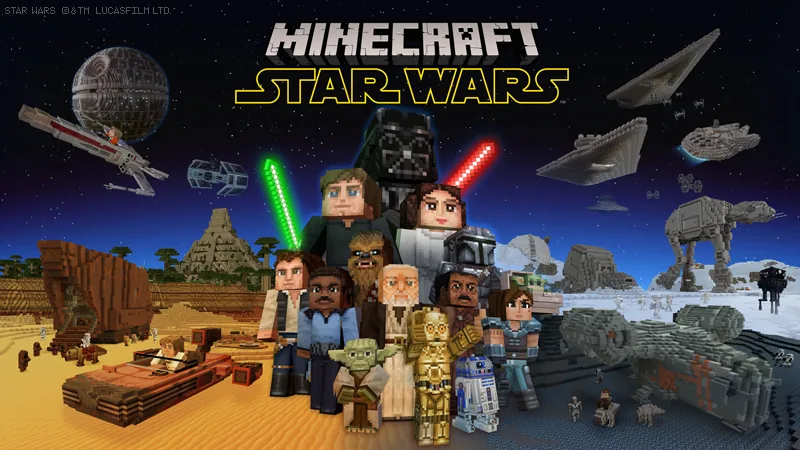
The Star Wars mash-up pack brings space-themed survival to Minecraft Bedrock Edition, drawing directly from the original movie trilogy as well as The Mandalorian series. Players can step into a dedicated world tailored around famous galactic locations, experiencing a completely transformed atmosphere designed for space adventures.What you get
- Counted by the store: 36 skins, 1 world, 1 texture pack
- 1 themed world featuring classic galactic locations
- 36 character skins
- 1 full sci-fi texture pack
- Environments inspired by the original trilogy and The Mandalorian
Price and rating
Star Wars is listed at 1,340 Minecoins on the Minecraft Marketplace as of November 20, 2026. That is roughly $7.87 at the usual US rate for a small Minecoin pack; the real cost depends on which coin pack you buy.
Players rate it 4.7 out of 5 across 82,170 ratings.
Price history
We started tracking this item on November 19, 2026. No price change has been recorded since then.
Who it is for
This pack suits science fiction enthusiasts and fans of the movie franchise looking to roleplay or survive within recognizable sci-fi settings. Keep in mind that pre-built mash-up worlds offer a fixed layout rather than a standard randomly generated survival terrain.Frequently Asked Questions
What parts of the franchise are represented in this pack?
How many skins come with this mash-up pack?
About mash-up packs in general
How do I start playing a world I got from the Marketplace?
Open it in My Library and choose Create this World, or go to Play, Create New and pick the template.
Can I play a Marketplace world with friends?
Realm owners can put a world on their Realm, including worlds made from packs they own or get through the Marketplace Pass catalog. For ordinary multiplayer sessions the official help does not say whether every player must own the world, so check the listing or try it before organising a session.
Source: Minecraft Help: Upload a world to a Realm · Minecraft Help: Activate Add-Ons
What is in a mash-up pack?
A mash-up pack is a themed bundle that usually includes a pre-built world or area, a texture pack and a skin pack. The counts shown on our item pages (worlds, skins, texture packs) come from the store listing.
Can I use a texture pack in a world I already have?
Yes. You can add a texture pack to an existing world from that world's Resource packs settings, or start a new world with it. If several packs are active, the one at the top of the list takes priority.
Source: minecraft.net: What is Minecraft Marketplace · Minecraft Help: Reorder Add-Ons
Do texture packs and worlds work with Vibrant Visuals?
Minecraft says Vibrant Visuals is compatible with Marketplace Add-Ons, skins and persona items, and with select worlds and texture packs - so not every world or texture pack supports it. Listings that do are usually tagged for it.
Is the Marketplace available in Minecraft: Java Edition?
No. The Marketplace is a Bedrock Edition feature; Java Edition has no Marketplace button and cannot use Marketplace content. The help center describes mods as the Java Edition counterpart of Bedrock Add-Ons.
Source: Minecraft Help: Marketplace Pass subscription errors · Minecraft Help: Add-Ons
What are Minecoins?
Minecoins are the digital currency of the Marketplace. You buy a pack of coins with real money and spend the coins on content; prices on this site are shown in Minecoins for that reason. On PlayStation the equivalent currency is Minecraft Tokens.
Source: minecraft.net: Buy Minecoins
9Minecraft Marketplace is an unofficial tracker and is not affiliated with Mojang or Microsoft. Prices are in Minecoins as listed for the US store and can change at any time; always check the Marketplace page before you buy.